

Settings
Open Settings from the title bar, or with Settings: Open Settings in the command center. It opens as a tab. A search field at the top filters the settings of every section as you type.
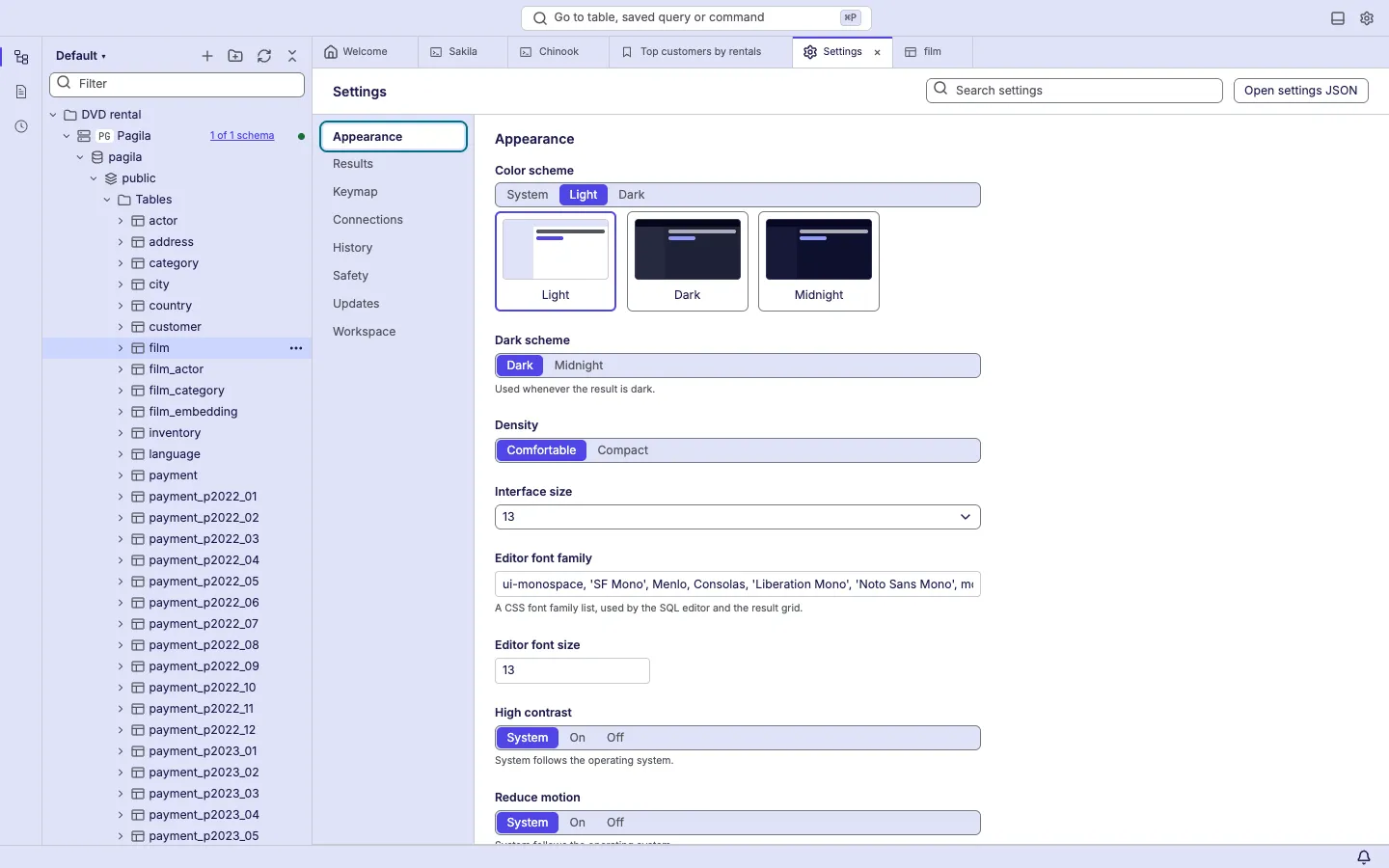
The sections are Appearance, Console, Results, Keymap, Connections, History, Safety, Updates and Workspace. A change applies at once and is saved at once.
Appearance
Section titled “Appearance”- Color scheme: System, Light or Dark. System follows your operating system. Three schemes ship, shown as cards: Light, Dark and Midnight, a deep indigo dark scheme.
- Dark scheme: which of Dark and Midnight to use whenever the result is dark.
- Density: Comfortable (26 pixel rows and controls) or Compact (22 pixels). It changes trees, lists, the grid and toolbars together.
- Interface size: the size of the interface text, from 11 to 16.
- Editor font family and Editor font size, used by the console editor, the JSON document and definition views, and the result grid’s JSON, bytes and boolean cells. A family that isn’t installed falls back to the default font.
- Word wrap: wraps long lines in every console instead of scrolling sideways. Off by default. See The console.
- High contrast: System, On or Off. On strengthens borders and muted text.
- Reduce motion: System, On or Off. On turns transitions and animations off.
Console
Section titled “Console”Completion in the console and in browse fields (see The console):
- Suggest while typing: Off opens suggestions only when you press Ctrl+Space.
- Accept with Enter: Off means only Tab accepts, and Enter always starts a new line.
- Show documentation: the panel beside the selected suggestion.
Results
Section titled “Results”- Rows per page: 100, 500, 1,000 or 5,000. It applies to table tabs, and to query results opened afterwards.
- Count exactly below: a table with fewer estimated rows than this is counted exactly. A larger one shows “about” until you click Count exactly. The default is 50,000.
- NULL display: the text a NULL value shows in a result. Copy still writes NULL as the database does.
- Default copy format: what Copy writes when you select more than one cell: Tab-separated (the default), CSV, JSON or Markdown. One cell copies as its text.
The other sections
Section titled “The other sections”- Keymap lists every shortcut and lets you change it. See Keyboard shortcuts.
- Connections has Disconnect idle connections after (minutes). See Idle disconnect.
- History controls what is recorded. See History.
- Updates controls update checks. See Getting started.
- Workspace holds the workspace’s name and its environments. See Workspaces and saved queries.